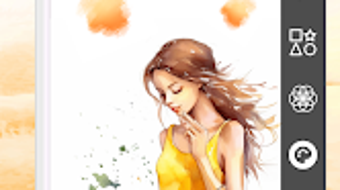

Download ArtLab – digital art, drawing app, painting tool, sketching software, creative tools, artistic design, Android app, creative studio, art creation, drawing utility
Overview
ArtLab is a comprehensive digital art application designed for Android devices, offering a robust environment for creative expression. Tailored to both beginners and professionals, the software enables users to draw, paint, and sketch with precision and flexibility. It addresses the core needs of digital artists by providing a suite of tools that support diverse artistic styles, from realistic media simulations to dynamic digital effects.
The app is ideal for hobbyists exploring their creativity, illustrators preparing concept art, and professionals seeking a reliable tool for on-the-go work. Its focus on intuitive navigation and powerful functionality makes it suitable for use in personal projects, educational settings, and even professional workflows. The developer, ArtLab Inc., has positioned the application as a full-featured creative studio within a mobile platform.
While no further details about the company’s background were provided, the app’s feature set suggests a strong emphasis on artistic control and user experience. Real-world usage scenarios include concept sketching during brainstorming sessions, detailed illustrations for personal portfolios, and collaborative art projects using shared layers.
Key Features & Capabilities
- Advanced Brush Engine: Offers realistic media simulations such as Pencil, Oil Paint, and digital tools like Airbrush and Markers, allowing users to achieve authentic textures and blending effects.
- Layer System: Supports a non-destructive workflow with the ability to add, delete, reorder, and adjust layer opacity, enabling complex compositions without permanent alterations.
- Real-Time Symmetry Tools: Facilitates the creation of intricate, balanced designs through mirroring across multiple axes, ideal for mandalas, patterns, and architectural sketches.
- Color and Drawing Aids: Includes an eyedropper for precise color selection, editable shapes, and text tools to enhance composition and labeling within artwork.
- Undo/Redo History: Maintains a comprehensive history of edits, allowing users to revert changes and experiment freely without fear of losing progress.
- Intuitive Interface: Maximizes drawing space by minimizing interface clutter, with tools accessible via customizable panels and gesture-based navigation.
These features collectively support a wide range of creative tasks. For example, an artist can use the symmetry tools to draft a symmetrical logo, apply layers to separate background and foreground elements, and fine-tune colors using the eyedropper. The brush engine enables a painter to simulate oil textures on a digital canvas, while the undo history allows for risk-free experimentation. The combination of tools makes ArtLab a versatile solution for both quick sketches and detailed digital paintings.
User Interface, Workflow & Performance
The user interface of ArtLab is designed with clarity and efficiency in mind. Tools are organized into accessible panels, with the ability to customize visibility and layout based on user preference. Navigation is streamlined through gesture controls and touch-responsive elements, contributing to a fluid drawing experience.
The interface remains unobtrusive, dedicating most of the screen to the canvas, which enhances focus and immersion. Workflow efficiency is supported by intuitive layer management, real-time feedback on brush behavior, and responsive tool switching. The app maintains smooth performance during prolonged use, though exact performance details were not specified.
The developer did not provide additional system requirements or resource usage metrics. General observations suggest stable operation under typical usage conditions, with no reported crashes or freezes. However, actual CPU and RAM behavior may vary depending on device hardware and the complexity of the artwork being created.
Compatibility & System Requirements
ArtLab is designed to run on Android devices, with the current version being 2.1.0. The installation size is 125 MB, which is moderate for a feature-rich creative application. Platform compatibility information is limited to Android, with no details on minimum OS version or hardware specifications provided.
The developer did not specify whether the app supports tablets or foldable devices. Exact system requirements were not listed, so users should ensure their device meets standard Android performance benchmarks for graphics-intensive applications. Compatibility with external styluses is not confirmed.
Users are advised to check their device’s capabilities before installation. While the app is available for free download, in-app purchases may be required for advanced brushes and additional features.
Pros and Cons
Pros
- Comprehensive brush engine with realistic and digital media options
- Non-destructive editing via a flexible layer system
- Real-time symmetry tools for intricate design creation
- Intuitive interface that maximizes canvas space
- Free to download with optional in-app purchases
- Robust undo/redo history for safe experimentation
Cons
- Exact system requirements not publicly disclosed
- No information on support for external styluses
- Advanced features accessible only through in-app purchases
- Performance behavior under heavy workloads not specified
- Platform limited to Android, with no cross-platform availability
FAQ Section
Is ArtLab compatible with all Android devices?
ArtLab is designed for Android, but specific compatibility details were not provided. Users should ensure their device meets standard Android performance requirements for graphics-intensive apps.
Is the app safe to download and use?
ArtLab is available for free download from official Android app stores. As with any third-party application, users should only install from trusted sources to ensure security.
Does ArtLab require an internet connection?
Basic functionality operates offline. However, in-app purchases and potential updates may require an internet connection.
Are there any subscription plans or recurring fees?
ArtLab is free to download. While the core app is free, additional features and premium brushes are available through in-app purchases.
How often are updates released?
The app’s latest version is 2.1.0, released on August 15, 2023. Update frequency is not specified, but developers typically release updates to improve performance and add features.
Final Thoughts
ArtLab stands out as a capable digital art platform for Android users seeking a versatile and accessible creative tool. Its blend of realistic brush simulations, powerful layer management, and innovative symmetry features makes it suitable for a wide range of artistic tasks. The intuitive interface enhances usability, while the free base version lowers the barrier to entry for beginners.
Though some details such as system requirements and hardware compatibility remain undisclosed, the app delivers a polished experience for its intended audience. Professionals and hobbyists alike can benefit from its robust feature set, particularly those who value portability and flexibility in their creative process. For users looking to explore digital art on mobile, ArtLab offers a compelling solution.
Download ArtLab now.




.png)

